PartyPal 68 Pro
partypal 68 pro
Updated
12 days ago
, by boAt Knowledge Base
PartyPal 68 Pro
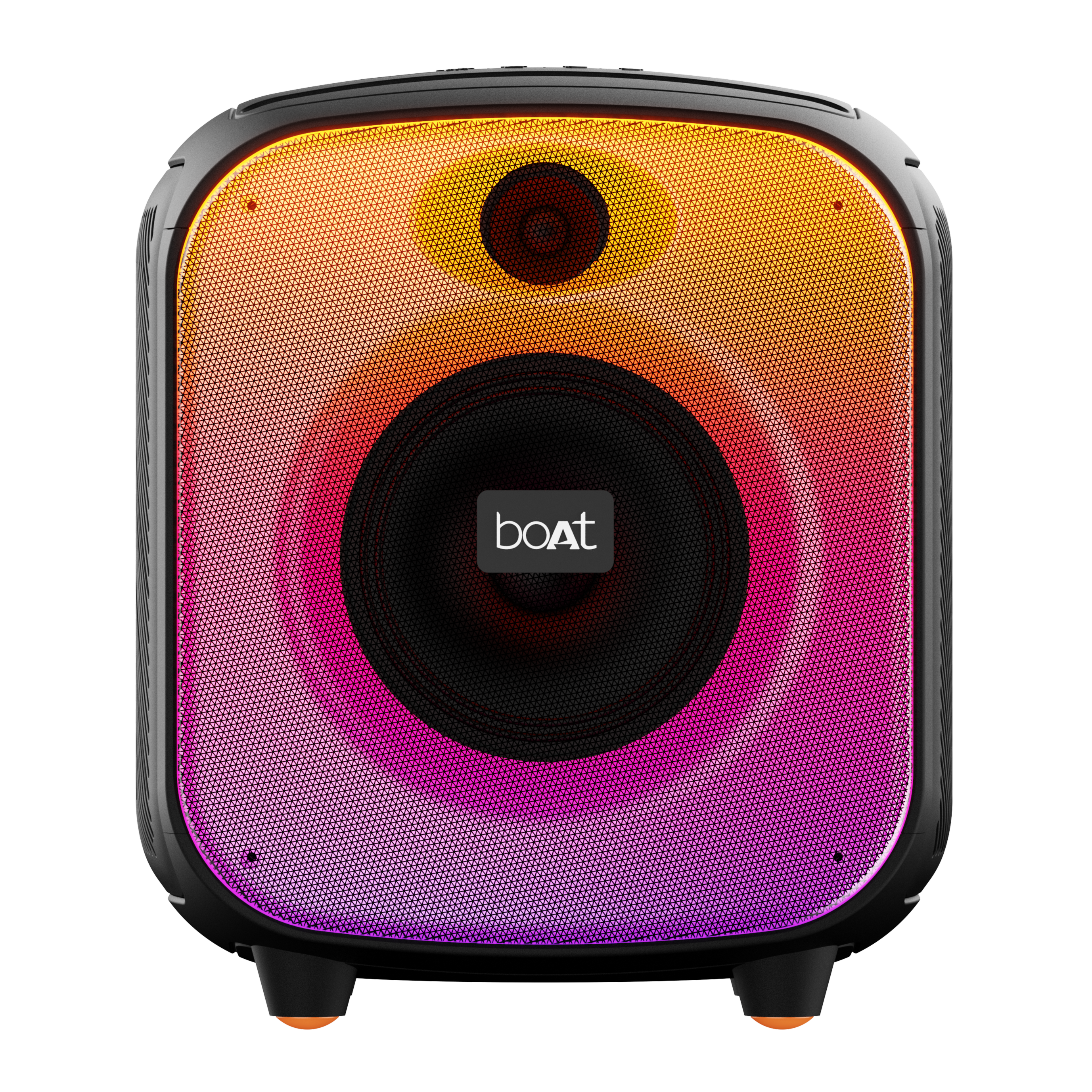
Bring the party wherever you go with the all-new boAt PartyPal 68 Pro! Packed with a powerful 42W boAt Signature Sound, dynamic RGB LEDs, and a wireless mic for karaoke fun, this speaker is built to light up every gathering. Enjoy non-stop beats with up to 8 hours of playback, experience deep bass with Bass Boost, and double the sound with TWS mode.
Specifications
Product Type | Portable Party Speaker |
Bluetooth Version | 5.3 |
Dimensions | 264 mm*265 mm*302 mm |
Weight | 3.73 kg |
Working Range | Up to 10m |
Driver Size | 5.25"*1 Woofer + 1.5"*1 Tweeter |
Compatibility | Bluetooth, AUX, TF Card, USB |
TWS Function | Yes |
Frequency | 60Hz-20kHz |
Signal-to-Noise Ratio | ≥65 dB |
Input Voltage | 5V/2A |
Output Power | 42 W |
Charging Time | Up to 4 hours |
Playing Time | Up to 8 hours (At 60% volume with RGB light effect ON) |
Battery | 4000 mAh at 7.4V |
Water Resistance | IPX4 |
Troubleshooting FAQs
General FAQs
Long press the Power button to switch the speaker ON.
Long press the Power button to turn off the speaker.
Long press the Power button to switch the speaker ON.
Short press the M button to select the Bluetooth Mode.
Activate the Bluetooth on your smartphone and search for “PartyPal 68 Pro” to connect.
Select “PartyPal 68 Pro” from the list of available devices. If prompted for a passkey, enter "0000".
Congratulations! PartyPal 68 Pro speaker is now connected to your phone via Bluetooth with a voice prompt.
Press and hold the BASS button for more than 2 seconds to clear the Bluetooth connection history of the speaker and go back to the default settings.
Note: Perform the reset function if the speaker doesn’t turn off or doesn’t respond properly.
In Bluetooth mode, long press the M button to disconnect/reconnect the currently connected Bluetooth device.
Short press the M button to change the connectivity mode (BT/USB/TF/AUX)
Short press the BASS button on the speaker to increase the bass.
After turning on the speaker, short press the
button to turn on the RGB light and long press for 2 seconds to turn off the RGB light effect.Short press the
button to switch between 6 different light modes and select your preferred light effect.
Note:
PartyPal 68 Pro remembers the last activated light effect when you turn on the speaker again.
If you turn off the LED effect before switching off speaker, you need to press and hold the button for more than 2 seconds to turn on the light effect when you power on the speaker again.
Short press the +/- buttons on the speaker to increase/decrease the playback volume.
When the volume reaches the minimum or maximum level, a tone prompt is played.
Previous Track: Press < once to return to the previous track. Press and hold < for more than 2 seconds to rewind the currently playing song.
Next Track: Press > once to skip to the next track. Press and hold > for more than 2 seconds to fast forward.
● Short press the
button to play/pause audio.
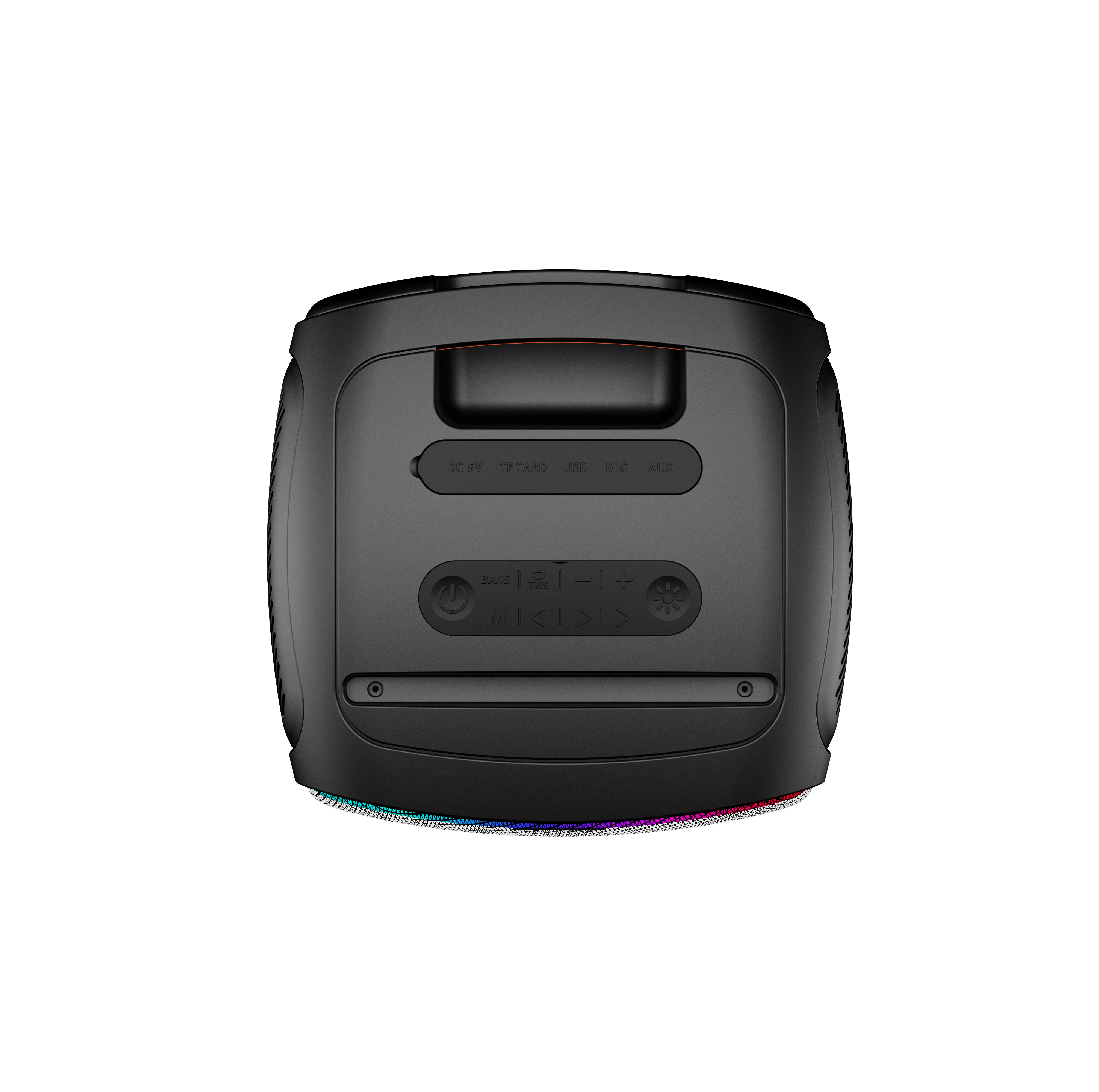
Type-C Charging Port: Connect the Type-C charging cable over here.
microSD/TF Card Slot: Insert the microSD/TF card over here.
AUX Port: Connect the AUX cable here.
MIC: Microphone Input Port
Charging LED Indicator: Indicates the LED status while charging
Make sure the speakers are not paired with any external devices.
Turn on the two speakers and select Bluetooth mode (indicated as “BLUE” on the display).
Short press the
button on one speaker (as right channel) for more than 2 seconds to enter the TWS mode.While pairing, the TWS LED indicator keeps flashing. When pairing is successful, a tone prompt will confirm the pairing and the indicator lights of both speakers will be on.
Once TWS is activated, the speakers will automatically pair with each other if turned on at the same time.
The speaker that is connected to your Bluetooth device will act as the primary speaker (left channel).
To deactivate the TWS function and unpair the speakers, short press the
button on the speaker after pairing.
Insert a USB flash drive/ microSD/ TF card (containing songs in MP3 format) into the USB port/TF card slot after turning on the speaker and it will switch to USB/TF card mode automatically.
Alternatively, short press the M button several times to select the USB/TF card connectivity mode.
Connect one end of the provided cable to the 3.5 mm AUX input of the speaker and the other to the external device.
Short press the M button several times to select the AUX connectivity mode.
In AUX mode, you can control the audio playback via the media device/phone.
Short press the
button to mute playback. Short press the
button again to unmute playback.
NOTE: In AUX mode, all the functions will work from the connected device.
Slide the ‘On/Off’ button to turn the wireless microphone on/off and connect it to the speaker.
You can also connect a separate wired microphone to the speaker by using the microphone input port.
Use the Vol-/ Vol+ buttons to choose the desired volume level while at least 1 microphone is connected.
Connect one end of the provided charging cable to the charging input and the other end to an adaptor of 5V/ 2A.
The battery level of the speaker is indicated by four LED indicators:
Speaker Battery Level
LED Indication
100%
Four LEDs remain on
75%
Three LEDs remain on
50%
Two LEDs remain on
25%
One LED blinks slowly
During charging, the LED indicator remains on with solid red light (the speaker will fully recharge in about 4 hours). Once the speaker is fully charged, the LED indicator will turn off.
When the battery is low, the speaker will make a low battery tone periodically.
Note:
Please don’t use the speaker while it is charging as it may decrease the battery’s performance.
If the battery is completely discharged, the speaker may restart. Recharge it for at least an hour before using it.
To ensure maximum efficiency and battery life, make sure that the speaker is not used at 100% volume at all times and that the battery is charged when it falls to 20% and below.
Yes, it does. It supports wireless Bluetooth v5.3. Use the USB port, TF/microSD card slot, or 3.5 mm AUX-in port playback in case you don’t want to stream wirelessly. It can support up to 8 hours of playback at 60% volume.
Note: Increasing the volume to more than 60% will reduce the playback time.
The speaker has an AUX port which supports a 3.5 mm jack, a TF/microSD card slot and a USB port. Other than that, it supports Bluetooth v5.3 connectivity. It does not support FM radio.
No, PartyPal 68 Pro does not support calling features.
Yes, you can charge it with a Type-C cable.
Yes, the speaker is not powered through the AUX cable. So, please make sure that it is charged and powered on before using it through AUX connection.
No, PartyPal 68 Pro cannot be used as a speakerphone in any connectivity mode.
Yes, it can be. However, it is advised to only do so using an AUX connection as Bluetooth mode might have latency issues.
The speaker does have IPX4 water protection, but it only protects under accidental exposure or submersion in water and is not meant for prolonged usage inside water.
Only 2 speakers of the same model can be connected in True Wireless Mode.
Not completely, it has IPX4 certification which means it can stay up to 30 mins in water up to 30 ft. Ensure the speaker is dried and water is emptied before use for optimum results.
