PartyPal 450
partypal 450
Updated
12 days ago
, by boAt Knowledge Base
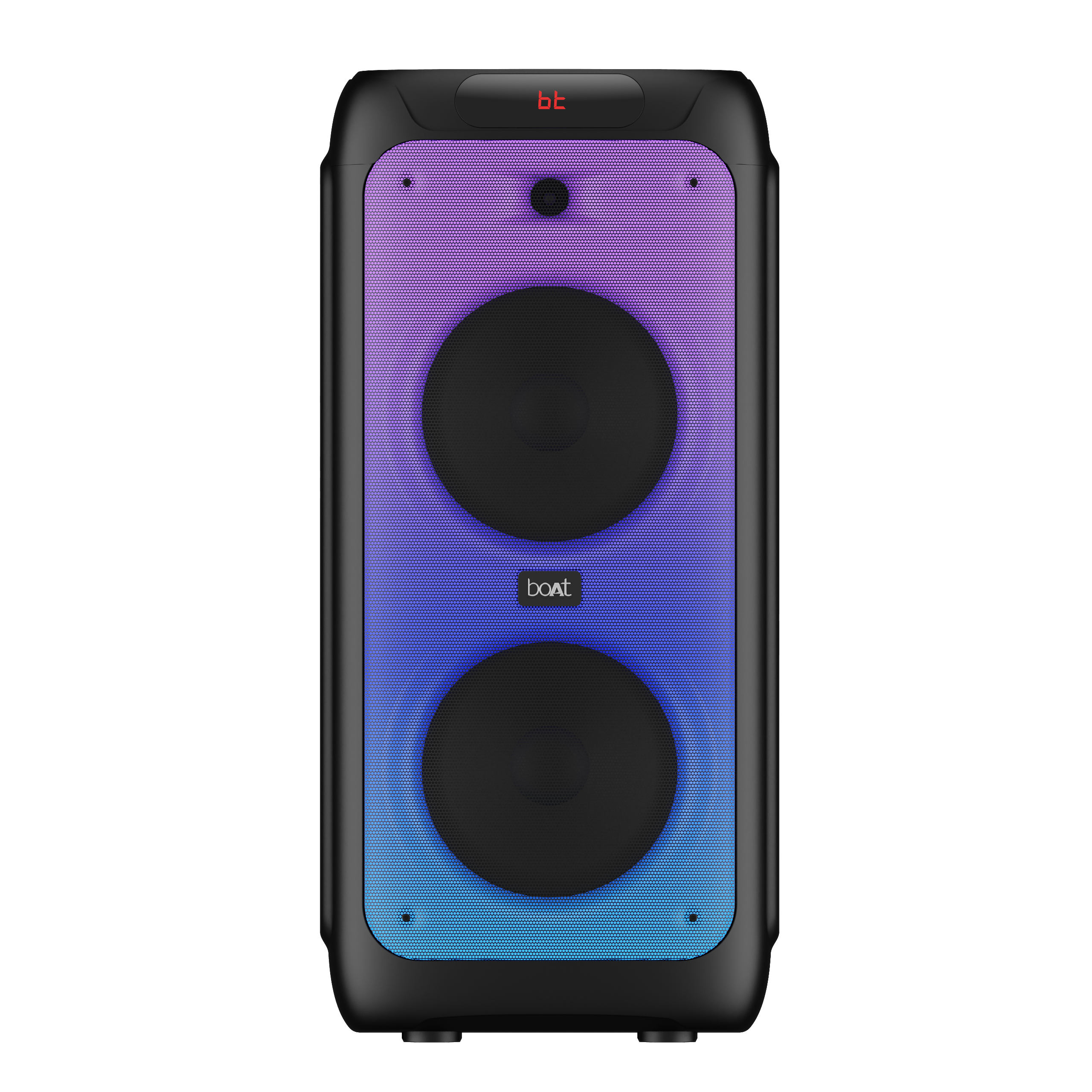
PartyPal 450
Let the good times roll with Party Pal 450, your 'pal' for unforgettable get-togethers. With its incredible features and the immersive power of 160W boAt Stereo Sound, you're bound to become the ultimate favorite host everyone can't stop talking about!
Specifications
.png)
Product Type | Portable Party Speaker |
Bluetooth Version | 5.3 |
Dimensions | 325 mm*330 mm*692 mm |
Weight | 12.4kg |
Working Range | Up to 10m |
Driver Size | 8”*2+ 2” Tweeter*1 |
Compatibility | BT/USB /TF Card/Wired Microphone Input/AUX/ Guitar IN/Recording/TWS |
TWS Function | Yes |
Frequency | 45Hz-20kHz |
Signal-to-Noise Ratio | ≥70 dB |
Input Voltage | Built-in power supply: AC 100-240V |
Output Power | 180W |
Charging Time | Up to 11 hours |
Playing Time | Up to 6 hours (at 60% volume) |
Battery | 7500mAh@12V |
Troubleshooting FAQs
General FAQs
Connect the power cable to the AC input port of the speaker. Use the power switch to turn the speaker on/off.
Use the power switch to switch on the speaker.
Short press the Mode or BT button on the control panel until the LED displays BT.
The β on the LED display will flash to indicate that the speaker is in Bluetooth pairing mode. Ensure that the device you wish to connect is also in pairing mode and search for “PartyPal 450” to connect.
Select “PartyPal 450” from the list of available devices. If prompted for a passkey, enter "0000".
The β on the LED display will stop flashing and remain constant when the pairing is done.
Note:
The speaker will now automatically re-pair with this device whenever it is within range and has Bluetooth turned on.
The speaker will automatically play the music by the music player which operated during Bluetooth paired in the first time.
Congratulations! PartyPal 450 speaker is now connected to your phone via Bluetooth.
Turn off the speaker using the power switch and turn it back on.
Press and hold the Mode button to clear the Bluetooth connection history of the speaker and go back to the default settings.
Long press the BT button to disconnect the current connected device.
Long press the BT button again to reconnect the speaker with the previously paired device.


Connect the provided power cable in order to charge the speaker. Turn off the speaker before charging.
During charging, the LED indicator will turn red. Once the speaker is fully charged, the LED indicator will turn blue.
When the battery is low, the speaker will make a low battery tone periodically. Please charge it promptly.
Note:
The built-in rechargeable battery is not replaceable. Do not trash it into the fire or any liquid to prevent safety hazards and environmental pollution.
Please don’t use the speaker while it is charging as it may decrease the battery’s performance.
If the battery is completely discharged, the speaker may restart. Please turn off the power switch and recharge it for at least an hour before using it.
If the speaker is not used for a long time, please charge it every 3 months.
Short press the Mode button to change the connectivity mode (BT/AUX/USB/TF Card).
After turning on the speaker, short press the ‘LED’ button to change the RGB lights among different effects.
Long press the ‘LED’ button to turn on/off the light effect.
Short press the EQ button to choose among the 5 available preset equalization modes- Normal - nor/Party - PAr /POP - POP/ROCK - rOC /JAZZ - JA2.
Turn the knob towards the right to increase the volume and turn it towards the left to decrease the volume.
Turn the knob towards the right (clockwise direction) to increase the bass and turn the knob to the left (anticlockwise direction) to decrease the bass.
Previous Track: Short press the << button to return to the previous track.
Next Track: Short press the >> button to skip to the next track.
Short press the >|| button to play/pause audio.
AC Input: Connect the power cable over here.
TF Card Slot: Insert the TF card in this slot.
AUX Port: Connect the AUX cable here.
USB Port: Insert the USB flash drive in this slot.
Guitar Input: Insert the guitar cable here.
Mic Input 1: Insert the microphone 1 cable here.
Mic Input 2: Insert the microphone 2 cable here.
Charging LED Indicator: Indicates the LED while charging
Power on the two identical speakers you want to pair and turn on the Bluetooth mode in both speakers.
Make sure the speakers are not paired with any external devices.
Once the speakers are in Bluetooth Mode and your main speaker is connected to your Bluetooth device, long press the TWS button on the main speaker until the speaker emits a tone indicating that it has entered TWS pairing mode. You can now playback audio through the speaker.
Long press the 'TWS' button to disconnect TWS mode.
Note:
Once two units execute the TWS function, they automatically get paired again if next time they are turned on within effective range.
In order to use the TWS function, the two speakers must have a maximum distance of about 5 meters from each other in open spaces.
Insert a USB flash drive (containing songs in MP3 format) into the USB slot and it will switch to USB mode automatically.
Insert a microSD/TF card (containing songs in MP3 format) into the TF card slot and it will switch to TF card mode automatically.
Connect one end of the provided cable to the AUX input of the speaker and the other to the external device.
Short press the Mode button to select the AUX connectivity mode
In AUX mode you can control the audio playback via the media device/phone.
Note: In AUX mode, all the functions will work from the connected device.
The speaker also has an additional guitar jack which can be used for attaching an electric guitar.
To connect with the microphone, turn on the power and insert the microphone into the microphone hole.
To ensure maximum efficiency and battery life, make sure that the speaker is not used at 100% volume at all times and that the battery is charged when it falls to 20% and below.
Yes, it does. It supports wireless Bluetooth v5.3 and TF card, USB, and 3.5 mm AUX-in port playback in case you don’t want to stream wirelessly. It can support up to 6 hours of playback at 60% volume.
Note: Increasing the volume to more than 60% will reduce the playback time.
The speaker has a TF card slot, AUX port which supports 3.5 mm jack, and a USB port. Other than that, it supports Bluetooth v5.3 connectivity.
It does not support FM radio.
No, PartyPal 450 does not support calling features.
Yes, you can charge it with a Type-C cable.
Yes, the speaker is not powered through the AUX cable. So, please make sure that it is charged and powered on before using it through AUX connection.
No, PartyPal 450 cannot be used as a speakerphone in any connectivity mode.
Yes, it can be. However, it is advised to only do so using an AUX connection as Bluetooth mode might have latency issues.
No, this speaker is not meant for submersion in water and prolonged usage inside water.
Only 2 speakers of the same model can be connected in True Wireless Mode
No, it is not.
