Airdopes Prime 700 ANC
prime 700 anc
Updated
11 hours ago
, by boAt Knowledge Base
Airdopes Prime 700 ANC
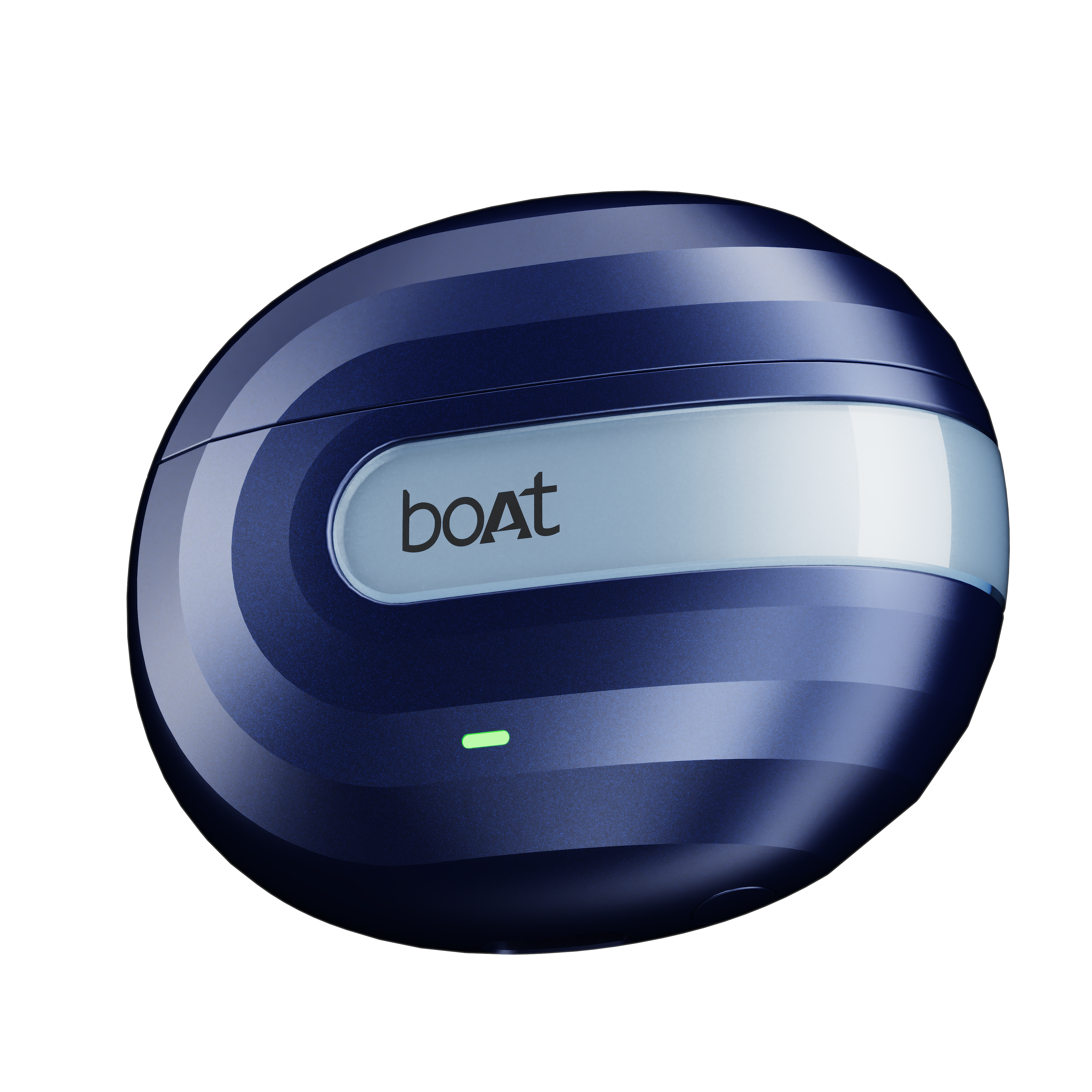
Airdopes Prime 700 ANC features up to 48dB Hybrid Active Noise Cancellation, boAt Spatial Audio, and powerful 12mm drivers, these earbuds deliver a truly immersive listening experience. Stay connected with Multipoint Connectivity, enjoy crystal-clear calls with 6 mics powered by AI-ENx™️ Technology.
Walkthrough Video
Learn how to use the product and troubleshoot yourself
DISCOVER HOW →
Specifications
Type of Product | ANC TWS Earbuds |
Active Noise Cancellation | Up to 48 dB (Hybrid ANC) |
Bluetooth Version | v6.0 |
Water Resistance | IPX5 |
Environmental Noise Cancellation (ENx™) | Yes, AI-ENx™ |
Number of AI-ENx™ Equipped Mics | 6 |
BEAST™ Mode | Yes, 50ms Low Latency |
Music Playtime (with Charging Case) | Up to 50 hrs (Non-ANC mode); Up to 35 hrs (ANC mode) |
IWP™ | Yes |
Transmission Range | 10m |
Driver Size | 12mm*2 |
Frequency | 20Hz-20kHz |
Battery Earbuds | 35mAh*2 |
Battery Charging Case | 400mAh |
ASAP™ Charge | Yes; 10 mins charge = 150 mins playtime |
Charging Time | 35 mins (Earbuds); 1 hr 15 mins (Case) |
Charging Interface | USB Type-C |
User Manual
Troubleshooting FAQs
General FAQs
To automatically switch the earbuds on (Smart Power On), simply open the lid of the charging case when earbuds are kept inside.
Smart Power Off :
After usage, remove both the earbuds from your ears.
The earbuds will automatically switch off (and enter into charging mode).
Place the earbuds back into the charging case in correct orientation and close the case lid.
Manual Power Off - To manually power them off, long touch the CTC on both earbuds for 11 seconds to manually switch off the earbuds.
NOTE: Before performing reset, clear "Airdopes Prime 700 ANC" from your device's pairing history.
Place both earbuds inside the case in the correct orientation.
While the earbuds are inside the case, keep the case lid open. Press and hold the reset button for 10 seconds.
After successful factory reset the Red LED blinks quickly 5 times on the charging case
Close the lid and then re-open it again after a few seconds.
Perform a fresh connection attempt and enjoy!
Congratulations! Your Airdopes Prime 700 ANC has been Reset.
To charge the earbuds, put them into the charging case in their correct orientation.
During charging, a purple LED flashes for 5 seconds on the case.
Once the charging is complete, a blue LED on the case remains steady for 5 seconds.
To charge the case, plug one end of the cable into the case and connect the other end to a computer, or a wall adapter, or a power bank.
The LED located on the charging case indicates the battery status of the case.
Charging through wall adapter – Specs of the adapter: 5V, 2A
Charging through cable/wire – Standard cable: 35 strands @0.10mm diameter/strand
Any other accessory can be used for charging the earbuds if the above norms are followed.
Note : Before using the earbuds for the first time, it is recommended to fully charge the earbuds as well as the charging case. Also, keep the lid of the charging case closed while charging.
Single tap the CTC on either earbud to answer an incoming call
Double tap either earbud CTC to end an ongoing call.
Single tap the CTC on either earbud to play or pause a track.
While playing music, double tap on the left earbud’s CTC to return to the previous track.
While playing music, double tap on the right earbud’s CTC to skip to the next track.
Volume can only be adjusted via phone/media devices.
Both the earbuds can be used in Mono mode.
The selected earbud will automatically enter the connection mode, indicated by slowly breathing LED flashes.
Turn on Bluetooth on your phone/media device and search for “Airdopes Prime 700 ANC” to connect.
Switch the earbuds on; both the earbuds automatically enter the Connection Mode.
Turn on the Bluetooth functionality on your phone/media device and scan.
Search for ‘Airdopes Prime 700 ANC’ and tap on the same for pairing & connecting via Bluetooth.
To switch to Stereo mode from Mono, simply take out the other earbud from the case. It will automatically power on and pair with the previously selected earbud, hence enabling Stereo usage.
Tap the right earbud CTC 3 times to activate Voice Assistant.
Airdopes Prime 700 ANC can be connected to 2 devices at once. To enable this feature, following steps are to be taken:
Switch on the Bluetooth on your first phone/media device and search for ‘Airdopes Prime 700 ANC’. After the selection is done, the earbuds are paired with your phone/media device.
Turn off the Bluetooth function of your first phone/media device. The earbuds are ready to be paired again.
Now switch on the Bluetooth function on your second phone/media device. Scan and select ‘Airdopes Prime 700 ANC’ to connect.
Switch on the Bluetooth of the first phone/media device again. The earbuds are reconnected to the first phone/media device.
Congratulations! Your earbuds are now connected to both your devices successfully via Bluetooth.
Note: This feature can be switched off from the boAt Hearables app.
To install the boAt Hearables app, you can follow one of the options mentioned below-
Scan QR Code - Airdopes Prime 700 ANC has the Hearables app QR code printed on the outer packaging box. Simply scan this code using your smartphone and the subsequent link will redirect you to the Google Play Store and iOS Store, and you can select the applicable option.
Google Play Store - Download the boAt Hearables app from the Google Play Store on your Android smartphone. <https://play.google.com/store/apps/details?id=com.boAt.hearables&hl=en_IN&gl=US >
App Store - Download the boAt Hearables app from the App Store on your iOS smartphone.<https://apps.apple.com/in/app/boat-hearables/id1592550875 >
After installing the app, follow the steps shown on the app to set up your account by entering your phone number, name, and email ID. Account setup is a one-time action.
Turn on the Bluetooth on your media device.
Log in to your account on the boAt Hearables app.
Go to the “My Devices” section.
Open the case lid. The earbuds will show up under the list of available devices with “Ready to Pair'' status. Follow the ‘Pull down to refresh’ option on the app if the device does not show up on the list.
Tap the Airdopes Prime 700 ANC name card and accept the pairing request pop-up notification on your media device.
Tap the ‘Ok’ option on the pairing notification. You can also save Airdopes Prime 700 ANC to your Google account for fast pairing in the future by clicking on “Save” and then “Set up”. Congratulations! Airdopes Prime 700 ANC is now connected to your media device with “Connected” status.
Note: Location access is required from Android 6.0 & above devices for the App to read the Bluetooth devices paired to the mobile phone.
The boAt Hearables app shows all currently and previously paired devices in the ‘My Devices’ section.
Once Airdopes Prime 700 ANC is paired to your smartphone, the status gets changed to “Connected” in the thumbnail.
Tap the thumbnail, to check whether both the left and right earbuds are connected or not. You can also check the battery level of both earbuds.
To reset Airdopes Prime 700 ANC from your device, go to the Troubleshooting section “?” on the Hearables app.
Next, tap the “Malfunctioning” sub-header in the Troubleshooting section.
Click on the option “Reset My Device” to reset the earbuds. Congratulations! Your Airdopes Prime 700 ANC has been reset.
Note: Airdopes Prime 700 ANC will now show as “Ready to Pair” in the My Devices section. Follow the pairing procedure to connect the earbuds to your device.
Pair Airdopes Prime 700 ANC to your media device by following the process mentioned above.
Go to the “Sound” tab on the Hearables app.
Under the Sound tab, slide the “Spatial Audio” toggle to the ON state to activate spatial audio. Slide the toggle once again in the opposite direction to deactivate spatial audio.
Note: The last operational audio mode will be activated upon opening the app.
Pair Airdopes Prime 700 ANC to your media device by following the process mentioned above.
Go to the “Sound” tab on the Hearables app.
Under the Sound tab, the “Noise Cancellation” header has all the audio modes displayed.
Select the mode of your choice depending on the level of noise cancellation required-
Tap ‘ANC’ to cancel external noise
Tap ‘Off’ to turn off ANC and Ambient modes
Tap ‘Ambient’ to have transparency towards your audible surroundings.
Note: The existing Noise cancellation mode on the product will be activated upon opening the app.
Pair Airdopes Prime 700 ANC to your media device by following the pairing process.
Go to the “Sound” tab on the Hearables app.
Under the Sound tab, the “boAt Equalizer” header has all the equalization modes displayed.
Select the mode of your choice depending on the level of sound elements required-
Tap ‘Default’ to turn off equalization
Tap ‘Balanced’ to experience audio with boosted highs
Tap ‘Rock’ to experience preset Rock EQ mode
Tap ‘Classic’ to experience preset Classic EQ mode
Tap ‘Pop’ to experience preset Pop EQ mode
Tap ‘Club’ to experience preset Club EQ mode
Tap ‘Custom’ to customize the sound elements to your preference
Note: The last operational EQ mode will be activated upon opening the app.
Airdopes Prime 700 ANC lets you customize existing touch functions to another from the list of available options from the Touch Tab.
LEFT earbud :
1 Tap :
Existing Function - Play/Pause audio, Answer incoming call
Customizable Functions - Next Track, Previous Track, Volume Up, Volume Down, Activate/ Deactivate BEAST™ Mode, Activate Google Assistant/ Siri
2 Taps :
Existing Function - Return to the Previous Track, End/Reject Call
Customizable Functions - Play/Pause audio, Next Track, Volume Up, Volume Down, Activate/ Deactivate BEAST™ Mode, Activate Google Assistant/ Siri
Long Touch:
Existing Function - Toggle between Normal (ANC OFF), Ambient, and ANC modes/ Power Off
Customizable Functions - Next Track, Previous Track, Volume Up, Volume Down, Activate/ Deactivate BEAST™ Mode, Activate Google Assistant/ Siri
RIGHT earbud:
1 Tap :
Existing Function - Play/Pause audio, Answer incoming call
Customizable Functions - Next Track, Previous Track, Volume Up, Volume Down, Activate/ Deactivate BEAST™ Mode, Activate Google Assistant/ Siri
2 Taps :
Existing Function - Skip to the Next Track, End/Reject Call
Customizable Functions - Play/Pause audio, Previous Track, Volume Up, Volume Down, Activate/ Deactivate BEAST™ Mode, Activate Google Assistant/ Siri
Long Touch:
Existing Function - Toggle between boAt Spatial Audio and boAt Signature Sound/ Power Off
Customizable Functions - Next Track, Previous Track, Volume Up, Volume Down, Activate/ Deactivate BEAST™ Mode, Activate Google Assistant/ Siri
Pair Airdopes Prime 700 ANC to your media device by following the pairing process.
Go to the “System” tab on the Hearables app.
Multipoint connectivity remains ON by default for keeping Airdopes Prime 700 ANC connected to two media devices at the same time.
Under the System tab, slide the “Multipoint Connectivity” toggle to the OFF state to deactivate the multipoint connection.
Slide the toggle once again to ON to activate multipoint connection.
Note: By default, Multipoint connectivity remains ON in Airdopes Prime 700 ANC.
Pair Airdopes Prime 700 ANC to your media device by following the pairing process.
Go to the “System” tab on the Hearables app.
Tap the “Check For Updates” option under the “Software Update” header to check and update Airdopes Prime 700 ANC to the latest firmware version, if available.
Note: If the product is updated to the latest available version, the app will show an alert on clicking the option -‘You already have the latest firmware version’.
To diagnose issues related to Bluetooth connectivity, mic, speaker, and battery, use the Smart Diagnostics function of the Hearables app:
Tap the “Diagnose My Device” option at the bottom.
Follow the instructions to start the smart diagnostics process.
Click on “Let’s Go” to start.
Complete all the steps one by one to check Bluetooth connectivity, mic, speaker, and battery functions.
Click on ‘Done’ to finish diagnostics.
You can view the product’s manual under the “System” tab of the Hearables app. Go to the ‘User Manual’ section and tap ‘Know More’ to access the user manual.
Case Remaining Battery | Charging State | Normal (Non-Charging) State |
Less than 20% | Slowly breathing red LED | Red LED blinks 3 times on opening the case lid |
More than 20% | Slowly breathing green LED | Green LED blinks 3 times on opening the case lid |
Fully Charged (100%) | Solid green LED until the charging pin is connected. Once removed, the LED turns off | Solid green LED for 5 seconds |
Case LED indication when Earbuds are getting charged from the case (with case lid closed):
If either of the earbuds is charging inside the case, the red LED flashes for 5 seconds.
When both the earbuds are fully charged, it is indicated by green LED for 5 seconds.
Our IWP™ technology allows the earbuds to connect to your phone if they have already been paired before instantaneously upon opening the case.
Simply open the case and ensure that the Bluetooth is turned on for your media device, the buds will connect as soon as the case is opened without the need to take them out of the case first!
There is no special process to enable IWP™- simply follow the steps to first pair your Airdopes Prime 700 ANC to your media device. Then upon subsequent usage, the IWP™ tech will be enabled and the earbuds will pair automatically to your previously paired media device if Bluetooth is turned on in your media device.
Yes, Airdopes Prime 700 ANC has a total of 6 mics.
Yes, it does.
Airdopes Prime 700 ANC does support 50 ms low latency for entertainment and casual gaming.10 However, if you’re looking for professional gaming equipment, then Airdopes Prime 700 ANC is not the right product.
No, it does not.
Yes, it does.
No, the earbuds do not have any integrated volume controls on them. The volume must be controlled using your connected Bluetooth device.
Voice Assistant cannot be activated using Airdopes Prime 700 ANC.
No, the voice prompts are integrated inside the earbuds and there is no provision to turn them off or lower their volume.
While your earbuds do have IPX5 water and sweat resistance, it is recommended that they are not submerged inside water directly or used for prolonged periods inside water like for swimming/showers, as it may lead to damage.
